Halo › Alternatives
Best Alcove alternatives for Mac in 2026
Alcove is one of the most polished notch apps, built around notifications and lock screen widgets. People look elsewhere for a lower price, for features it doesn't mention (dictation, AI agent status, external monitor control), or for something free.
The 4 best Alcove alternatives
1. NotchNook: Most established alternative
NotchNook has the longest track record in the category, Shortcuts support and a five-Mac license. It's $25 one-time or $3 a month, and it's included in Setapp.
2. Halo: Best for dictation, AI agents and external monitors (my app)
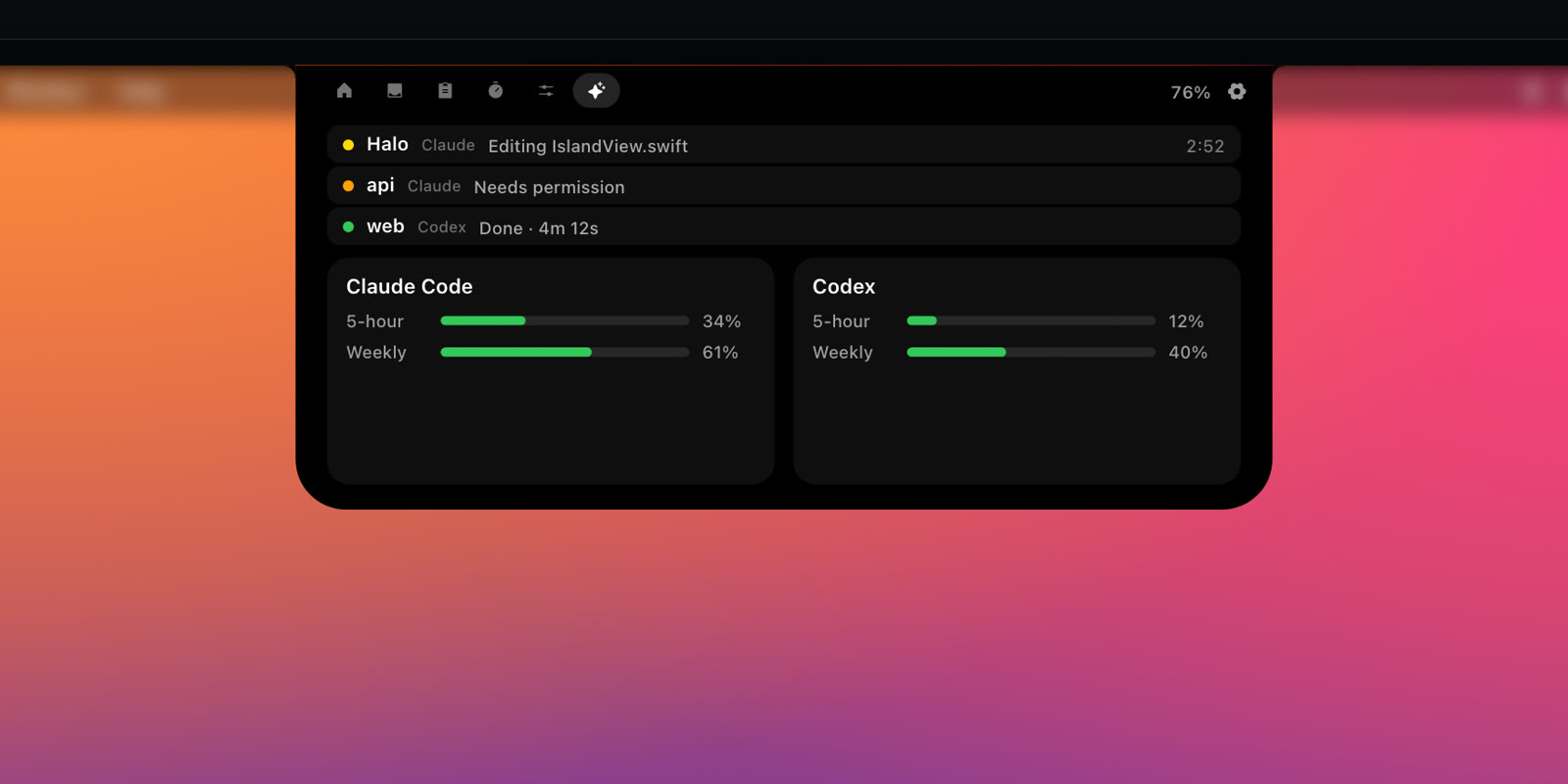
Halo is $9.99 one-time, $5 less than Alcove. It shows notifications from any app too, and adds dictation (hold Fn and talk), live Claude Code and Codex status, and real brightness control for external monitors. It has no trial and isn't notarized yet. Full comparison: Halo vs Alcove.
3. boring.notch: Best free alternative
boring.notch is free and open source: music, calendar with Reminders, a file shelf and HUDs. Notifications are on its roadmap, so it's not a full replacement if that's why you use Alcove.
4. DynamicLake: Best for everyday chores
DynamicLake shows notifications from Messages, WhatsApp, Telegram, Slack and Mail, and adds weather, file conversion and iPhone calls. From $13.99 with a 14-day refund window.
Side by side
| Alcove | NotchNook | Halo | boring.notch | DynamicLake | |
|---|---|---|---|---|---|
| Price | $13.99 one-time, up to 3 Macs | $25 one-time (5 Macs) or $3/month (2 Macs); also on Setapp | $9.99 one-time, up to 3 Macs | Free, open source (GPL-3.0) | From $13.99 one-time, up to 3 Macs |
| Trial or refunds | Yes, 72 hours; 14-day refunds | Not listed | No trial | Free | 14-day money-back guarantee |
| Works without a notch | Not mentioned | Yes | Yes | Not listed | Yes |
| Notifications in the island | Yes | Not listed | Yes, from any app | On its roadmap | Yes (Messages, WhatsApp, Telegram, Slack, Mail) |
| Dictation | Not mentioned | Not listed | Yes, hold Fn and talk | Not listed | Not listed |
| AI agent status | Not mentioned | Not listed | Yes (Claude Code, Codex) | Not listed | Not listed |
| External monitor brightness (DDC/CI) | Not mentioned | Not listed | Yes | Not listed | Not listed |
| Synced lyrics | Not mentioned | Not listed | Yes | Not listed | Not listed |
| Requirements | Not listed | Not listed | macOS 15+ | macOS 14+ | macOS 14+ |
When to stay with Alcove
Stay with Alcove if you want lock screen widgets, or the safety of a free trial and a 14-day refund window before you pay.
How to switch
- Quit Alcove from its menu bar icon.
- Open System Settings › General › Login Items and remove Alcove, so it doesn't start again and fight the new app for the notch.
- Install and open the new app. Only one island should own the notch at a time.
Coming from Alcove to Halo? Halo works on external monitors too, so check how its brightness keys work over DDC/CI, and if you code with AI, how it tells you when Claude Code is done.
More honest roundups: NotchNook alternatives, boring.notch alternatives, DynamicLake alternatives.
Questions
What is the best Alcove alternative?
It depends on why you're switching. For the lowest paid price plus notifications, dictation, AI agent status and external monitor control, Halo ($9.99 one-time). For a free app, boring.notch. For the most established app, NotchNook.
Is there a free Alcove alternative?
Yes: boring.notch is free and open source (GPL-3.0). It covers music, calendar, a file shelf and HUDs; notifications are on its roadmap.
Can I switch from Alcove without losing anything?
Your Alcove purchase stays yours. Quit Alcove, remove it from System Settings › General › Login Items so the two don't fight over the notch, then open the new app. Only one island should own the notch at a time.
Try Halo
Dynamic Island for your Mac, notch or not. $9.99 one-time, no subscription.
Buy Halo