How to see notifications in your MacBook notch
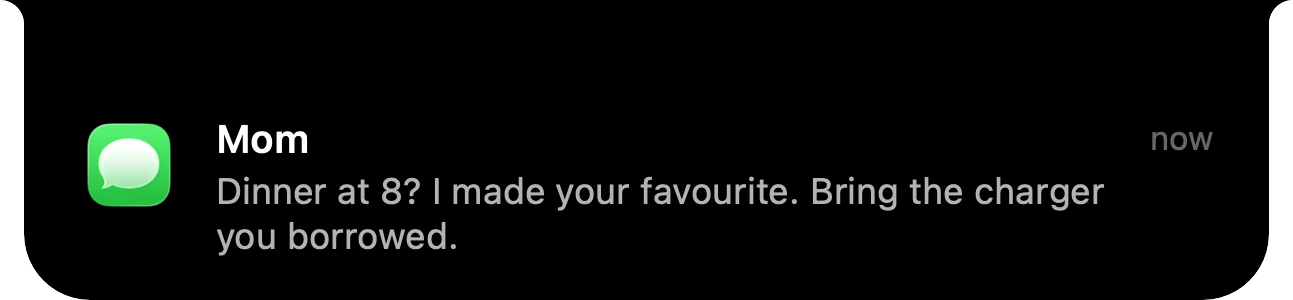
Your eyes are on the top of the screen, near the notch. macOS shows every banner in the top-right corner instead, and there's no setting to move it. Here's what you can change in macOS, and how to put notifications in the notch.
Why the corner is the wrong place
On a MacBook with a notch, the middle of the menu bar is where your eyes already go: it's next to the camera and above whatever you're working on. A banner in the top-right corner is the farthest point from there on a wide screen, so it's easy to miss, and when you do notice it, it covers whatever was in that corner. On an external monitor the gap is even bigger.
Option 1: make macOS banners less annoying
macOS can't move banners, but you can change how each app interrupts you in System Settings › Notifications:
- Banner style: for each app, choose Temporary (the banner slides away on its own) or Persistent (it stays until you dismiss it).
- Show previews: set it to When Unlocked or Never if you don't want message text appearing while someone looks at your screen.
- Focus: a Focus mode (Control Center › Focus) lets only the people and apps you pick through while you work.
These help with how many banners you see, but every banner still lands in the corner.
Option 2: show notifications in the notch with Halo
Halo is a Dynamic Island for the Mac. With notifications turned on, a banner from any app appears in the notch, where you're already looking, and macOS's own banner in the corner steps aside. Click the banner in the notch to open it, just like a normal notification.
- Open Halo's Settings and go to Notifications.
- Turn on Show notifications in the notch.
- Allow Accessibility access when macOS asks. Halo needs it to see the banner macOS is about to show. To get a switch for every installed app right away, also give Halo Full Disk Access; without it, each app gets its switch the first time it sends a notification.
- Switch off any app you'd rather keep in the corner.
Notifications stay in Notification Center as usual. Halo reads each banner on your Mac and doesn't store or send it anywhere.
Which one to pick
- You just get too many banners: Option 1. Fewer interruptions, no new app.
- You keep missing banners, or they cover what you're doing: Option 2, so they appear in the notch instead.
Questions
Can macOS show notifications in the notch?
Not on its own. macOS always shows banners in the top-right corner, and there is no setting to move them. An app like Halo can read those banners on your Mac and show them in the notch instead.
Will I see each notification twice?
No. While Halo shows a banner in the notch, macOS's own banner steps aside. The notification is still in Notification Center afterwards.
Does Halo read or send my messages?
Halo reads the banner macOS is about to show, on your Mac, through Accessibility. Nothing is stored and nothing is sent anywhere.
Can I choose which apps show up in the notch?
Yes. Each app gets its own switch in Halo's Settings › Notifications. Apps you switch off keep using macOS's normal banners.
Does it work without a notch?
Yes. On an external monitor or a Mac without a notch, Halo draws its island at the top of the screen, and banners appear there.
Try Halo
Dynamic Island for your Mac, notch or not. $9.99 one-time, no subscription.
Buy Halo