Halo › Compare
Halo vs boring.notch
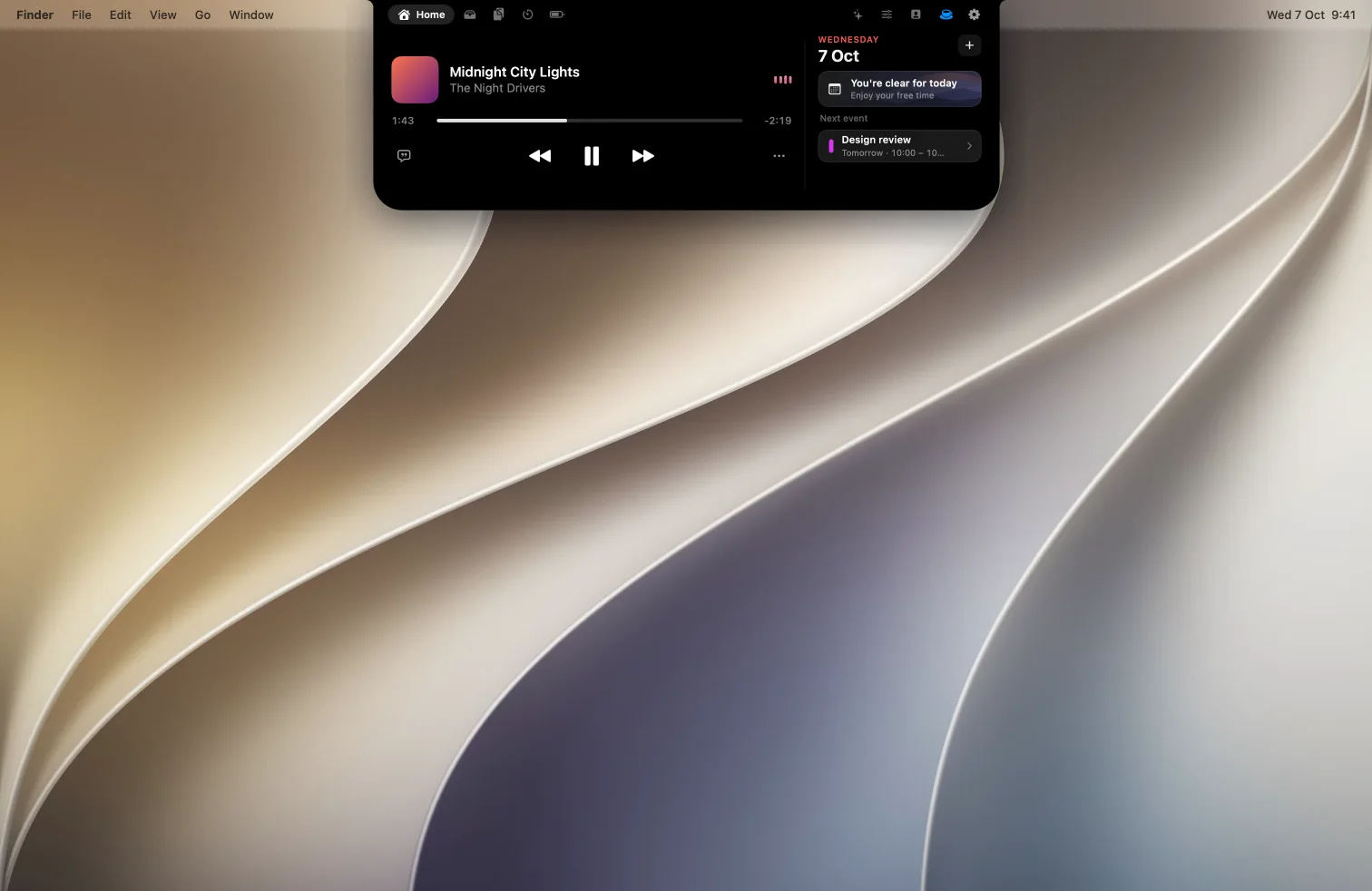
boring.notch is free, open source and very good at the basics. Here's what Halo adds for $9.99, and when the free one is all you need.
The short answer
Pick Halo if…
you want notifications from any app, dictation, your AI agents in the notch, synced lyrics, or brightness keys that work on your external monitor.
Pick boring.notch if…
you want something free and open source, mostly use music, calendar, the shelf and the HUDs, and don't mind a Terminal command the first time you open it.
Side by side
| Halo | boring.notch | |
|---|---|---|
| Price | $9.99 one-time | Free (GPL-3.0), donations welcome |
| Open source | No | Yes |
| Requirements | macOS 15 or later, Apple silicon and Intel | macOS 14 or later, Apple silicon and Intel |
| Notarized by Apple | Not yet: Open Anyway, once | Not yet: a Terminal command or Open Anyway, once |
| Now playing with a visualizer | Yes | Yes |
| Calendar | Yes | Yes, plus Reminders |
| File shelf with AirDrop | Yes | Yes |
| Volume and brightness HUD | Yes | Yes, plus keyboard backlight |
| Camera mirror | Yes | Yes |
| Notifications from any app | Yes, with a switch for each app | On the roadmap, under consideration |
| Dictation | Yes: hold Fn and talk | Not listed |
| AI agent status (Claude Code, Codex) | Yes | Not listed |
| Synced lyrics | Yes | Not listed |
| External monitor brightness, contrast and input (DDC/CI) | Yes | Not listed |
| Lock screen | Music on the lock screen (beta) | Widgets on the roadmap |
"Not listed" means we couldn't find it in boring.notch's README, not that it's definitely missing. "On the roadmap" is quoted from the README's own roadmap. If something here is wrong, tell me and I'll fix it.
Where Halo is different
Notifications, dictation and agents
Halo 2.0 shows banners from any app in the island, types what you say when you hold Fn, and shows what Claude Code and Codex are doing, with a sound when one needs you. boring.notch lists notifications as under consideration and doesn't list the other two.
External monitors, properly
Halo talks to your monitor over DDC/CI, so its brightness keys change the real backlight, and the Controls tab adds contrast and input switching. This needs Apple silicon and a monitor that supports DDC/CI. More on how that works.
A little Buddy
Halo Buddy lives beside the notch: it follows your cursor, naps when you step away and wears your agents' mood.
Where boring.notch is ahead
It's free and open source, so you can read the code, build it yourself and send fixes. It has a large community on GitHub, a Reminders integration and customizable gestures. If music, the calendar and a shelf are all you want from the notch, it's hard to argue with free.
Questions
Is Halo better than boring.notch?
It does more: notifications from any app, dictation, AI agent status, synced lyrics and external monitor control. boring.notch is free and open source and covers the basics well, so it depends on whether you want those extras for $9.99.
Is boring.notch free?
Yes. It's open source under the GPL-3.0 license, and the developers accept donations.
Does boring.notch show notifications?
Not as of October 2026: its README lists notifications on the roadmap as under consideration. Halo shows them since version 2.0.
Can I use both?
You can, but only one island should own the notch at a time. Quit one before trying the other.
Sources: boring.notch on GitHub, and Halo's site.
Try Halo
Dynamic Island for your Mac, notch or not. $9.99 one-time, no subscription.
Buy Halo