Every version, what it added and what it fixed. Updates are free for everyone who bought Halo.
Stable
Halo 2.1.1
2.1.1 (191)
Halo speaks your language everywhere, thanks to a report from a French customer.
What's new:
Bug fixes
The calendar card, the timer, the music menu, AI usage, battery and device names, and VoiceOver now follow your language. Some of them stayed in English.
French uses one tone throughout, and Italian, Uzbek and the rest got a consistency pass.
Halo gets out of your way: the song title under the notch, room for the menu bar, and the displays you choose.
What's new:
New features
Under the notch: the song title, or the lyric being sung, while music plays. Songs without lyrics show their title. Settings › Music.
Option-click the island and it steps aside for a minute, so you can click whatever it covers in the menu bar. Banners and agent alerts still show. It's in the right-click menu too.
Show Halo on › Displays I choose: switch each display on or off. Halo remembers them through unplugging, docking and KVM switches, and uses the menu bar's display if every one you chose is gone.
Refinements
Displays without a notch: a Corners slider for the closed island, and a Shadow switch for the floating style.
The floating island's Height slider starts at its real minimum, 30 pt.
Earbuds that aren't AirPods show an earbuds icon in Batteries.
Bug fixes
Incoming calls keep macOS's own banner, so Accept and Decline are always there. A call from your iPhone could show up as "FACETIME_NOTIFICATION" instead.
Batteries: the rings and the charging badge are no longer cut off at the top.
Your meetings in the notch, and links for Shortcuts.
What's new:
New features
Calendar tab: today and tomorrow, event by event, with a countdown, a Join button for Zoom, Meet, Teams, Webex and FaceTime links, and a banner a minute before each meeting.
Google and Outlook calendars in one click: Halo opens macOS's Internet Accounts, macOS signs you in, and Halo never sees your login.
On a call, the island shows the call's app: click it to get back to the meeting from anywhere. A green camera means you're on video.
halo:// links for Shortcuts, Terminal and scripts: show a banner, start a timer, keep your Mac awake, add to the Shelf or open a tab. Settings › Automation has Try It and Copy Link for each one.
When your disk runs low, the notch tells you, at the level you choose in Settings (5 to 100 GB). A tap shows what's using the space, or opens Shedi if you have it.
Refinements
Settings are grouped by feature: Music, AI Agents, Calendar & Calls, Shelf & Clipboard, Battery & Storage and Automation.
Lyrics under the notch can be turned on or off for each music app.
Your week shows this week so far while last week is still empty.
The side island has a two-row header with evenly spread tabs, and usage as compact bars.
Bug fixes
Tabs to the right of the notch no longer slide under it.
Everything in this update was asked for by people who bought Halo. Thank you.
What's new:
New features
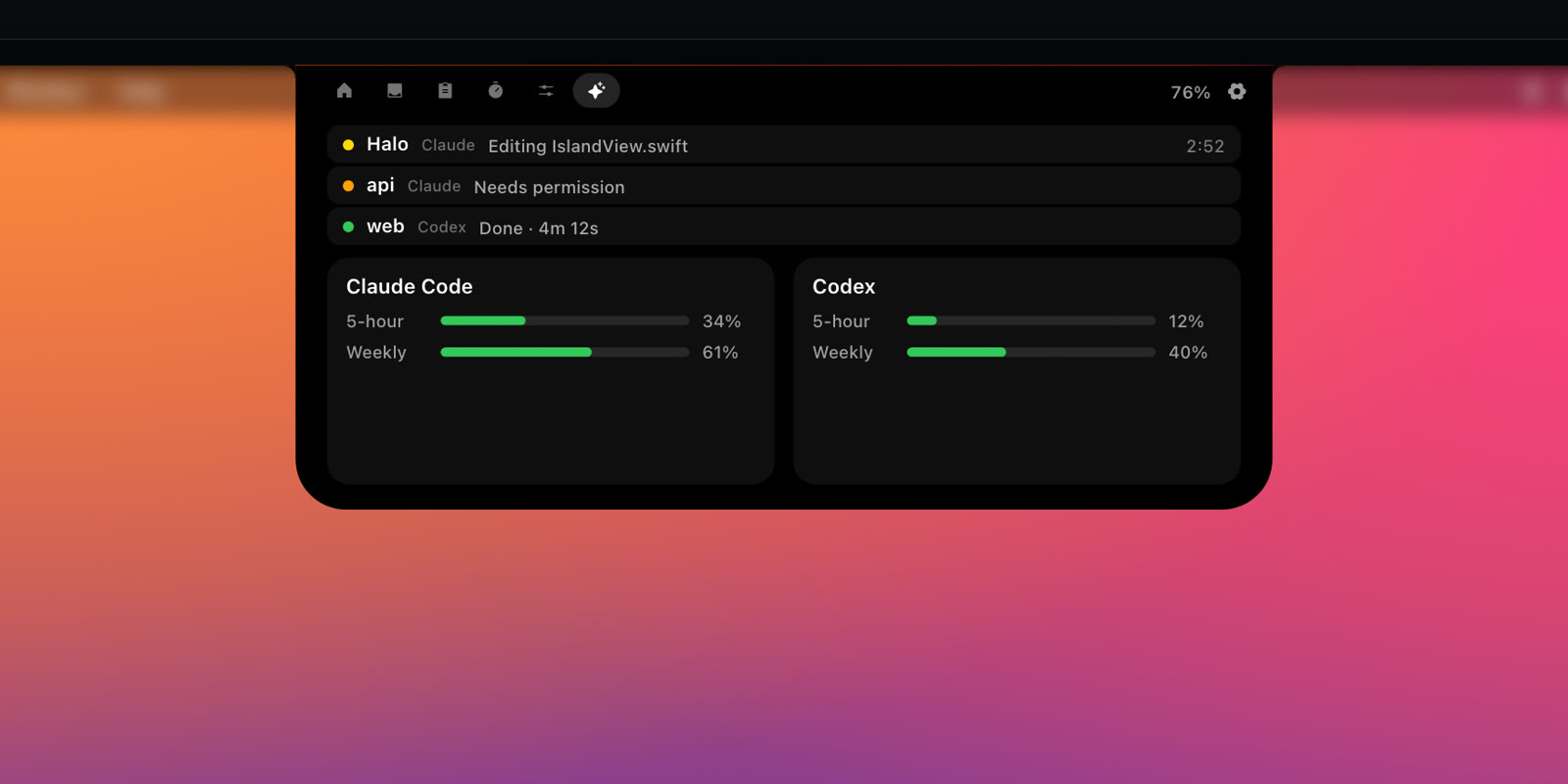
Cursor: connect it in Settings › Island Tabs and the notch shows when Cursor's agent is working, has a question, or is done, next to Claude Code and Codex.
On a call, click the time in the closed island to mute or unmute your microphone.
A camera button in Controls during calls opens macOS's own effects: Portrait, Studio Light and backgrounds.
Timer: a Long break, next to Focus and Break.
When an update is ready, Halo tells you in the notch, even if you've hidden its menu bar icon.
Refinements
Lyrics under the notch can skip music playing in a browser, and a one-line lyric now sits centred.
New setting: a soft glow in the artwork's colour while music plays.
Hovering a call opens Controls, where its mute button is.
The timer's ruler ends at three hours, the longest it sets, and has more room under the mode buttons.
Bug fixes
The Claude Code usage meter no longer steps backwards when two sessions are open.
The biggest Halo yet: notifications, dictation and a little face called Buddy.
What's new:
New features
Notifications in the notch: messages from any app arrive in the island instead of a banner in the corner. Click one to open the app, and choose which apps can reach the notch.
Dictation: hold Fn, talk, let go, and your words are typed wherever the cursor is, in any app. Apple's recognition runs on your Mac once macOS has downloaded your language; or use Whisper with your own Groq key.
Halo Buddy: a little face in your notch that follows your cursor, naps when you're away and shows how your AI agents are doing.
Calls: see which app has your microphone, and for how long.
Eight languages: English, Español, Deutsch, Français, Italiano, Português, Русский and Oʻzbekcha.
Refinements
Redesigned: a Home like Now Playing on iPhone, usage limits as rings, smoother motion, a new welcome and a new icon.
Right-click the notch for Settings, Hide and Quit.
Bug fixes
Agent status, Now Playing and the license each got a round of fixes from a full audit.